Buying Licences Through Manitoba’s Portal
Navigating the world of hunting licences can feel like cracking a secret code sometimes, especially when you're just eager to get out into Manitoba's incredible wilderness. The days of trudging to a local vendor, filling out endless paper forms, and hoping you haven't missed a crucial detail are thankfully fading. This guide is here to demystify the process, walking you through everything you need to know about buying your hunting licences seamlessly through Manitoba's convenient online portal.
Understanding the Manitoba Hunter and Trapper Online Licence Portal
For years, hunters and trappers across Manitoba faced the familiar routine of visiting authorized vendors to purchase their licences. While a personal touch always has its charm, the reality was often inconvenient, especially for those living in remote areas or with tight schedules. That's why the shift to an online system has been a game-changer, simplifying access and streamlining what used to be a somewhat cumbersome process.
Why an Online Portal? The Shift to Digital
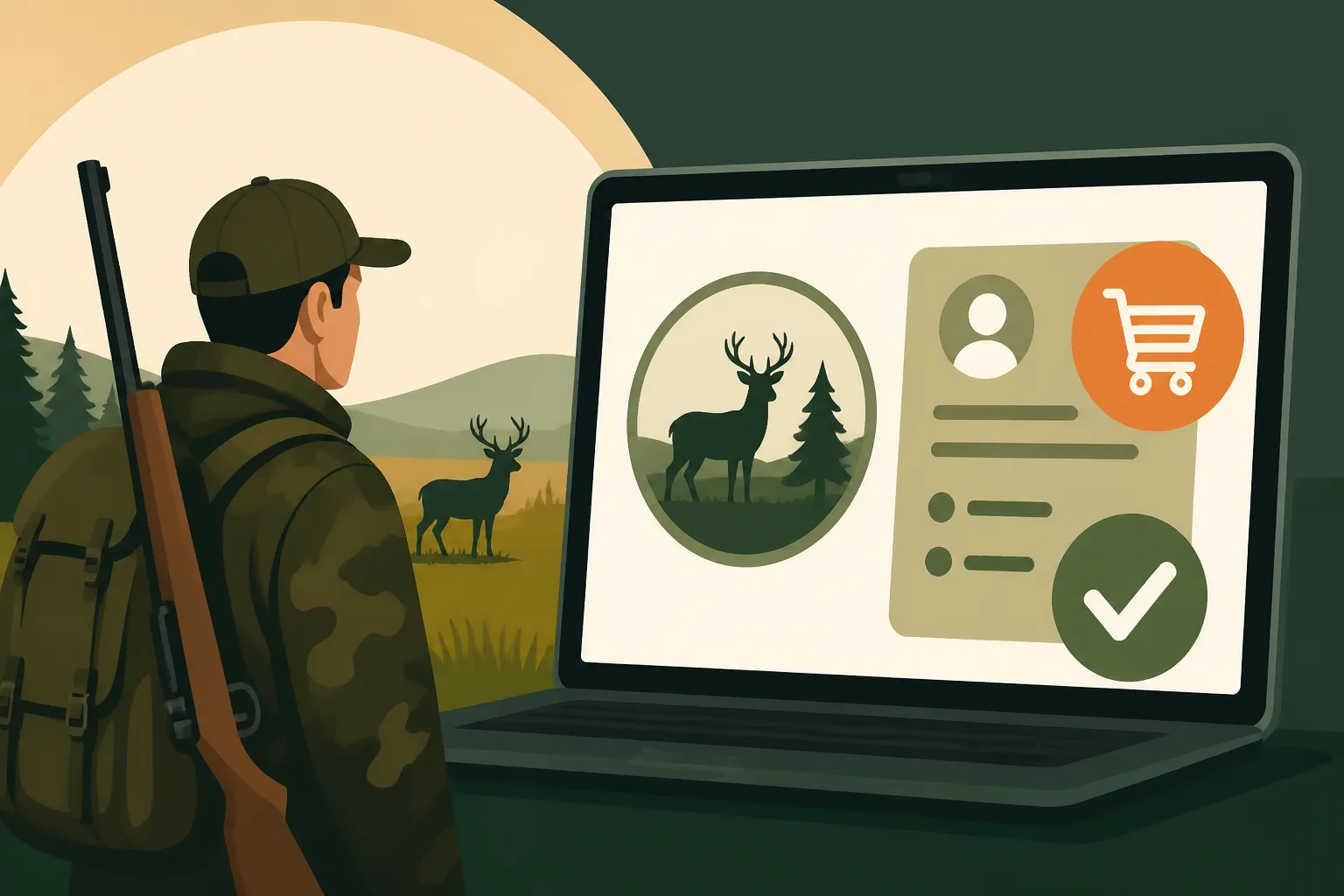
The move to an online portal, often referred to by hunters as the GoHunt system, was a much-needed modernization. Think about it: you spend hours scouting potential hunting grounds, preparing your gear, and perfecting your calls. The last thing you want is to waste precious time running errands for paperwork. The digital portal allows you to purchase your licences from the comfort of your home, 24/7, using a computer, tablet, or even your smartphone. This accessibility means less stress and more time dedicated to what truly matters – being out in the field.
The push for digital also brought about better record-keeping and efficiency for the province. For hunters, it means your complete history of licences and draw applications is stored in one secure place. No more worrying about lost paper copies or trying to recall which Manitoba Big Game Season Dates applied to which zone from years past. It’s all there, ready for you to access when you need it, which is incredibly helpful for planning future hunts or simply checking past successful draw entries. This digital transformation makes the entire administrative side of hunting much more manageable for everyone involved.
Key Features and Benefits of the GoHunt System
The GoHunt portal isn't just a place to buy licences; it’s a comprehensive management system for your hunting and trapping activities in Manitoba. One of its standout features is the ability to apply for various big game draws, such as Manitoba's Elk and Moose Draws, directly through your account. This eliminates the need for separate applications or remembering multiple websites and deadlines. You can track your application status and check draw results all in one spot, reducing a lot of the anxiety and guesswork that used to accompany the draw process.
Another significant benefit is the clarity it offers on licence options and regulations. As you select your desired species and Game Hunting Area (GHA), the system often provides quick links or summaries of relevant rules and seasons, helping you ensure you’re making the right purchase for your hunt. This is especially useful for understanding the nuances of various Manitoba Resident Licence Options or Manitoba Non-Resident Licence Options. The portal also allows for easy reprinting of lost licences, which is a lifesaver if you accidentally misplace your physical copy while out in the wilderness or preparing for your trip.
Before You Dive In: Essential Preparations
Before you even log into the GoHunt portal, taking a few preparatory steps can save you a lot of headaches. It's like packing your gear before a hunt – you don't want to realize you forgot your boots once you're already at the trailhead. Gathering your essential information and understanding the requirements beforehand will make the entire online purchasing experience smooth and swift.
Gathering Your Hunter ID and Personal Information
Your Hunter ID is your unique identifier within Manitoba's hunting system, and it's absolutely crucial for accessing your online profile and purchasing licences. If you've hunted in Manitoba before, this number should be printed on your previous licences or hunter education certificates. If you're a first-time hunter or can't locate your ID, don't panic. The system usually has a way to look it up using other personal details, or you might need to contact the provincial licensing authority for assistance. For new hunters, completing Manitoba Hunter Education Requirements is the first step, and upon successful completion, you’ll be issued your Hunter ID.
Beyond your Hunter ID, have all your personal details handy: full legal name, date of birth, mailing address, email, and phone number. Ensure these match what's on file with the province to avoid any discrepancies that could delay your purchase. Even a simple typo in your address can cause issues, preventing your licence from being mailed correctly if you opt for a physical copy, or causing confusion if you're audited in the field. Double-checking this information against a government-issued ID is always a good practice.
Knowing Your Desired Licences and Season Dates
It sounds obvious, but knowing exactly what you intend to buy before you start clicking is vital. Are you after a general deer licence, or do you need something specific for Elk Hunting in Manitoba? Are you a resident or a non-resident? Different species and resident statuses have different requirements and associated Manitoba Big Game Tag Costs. Take a moment to review the current hunting guide or the province's official website to confirm the specific licence types, Game Hunting Areas (GHAs), and season dates for your target species.
For example, if you're planning on Whitetail Hunting in Manitoba, you'll want to confirm the specific GHA and whether you're aiming for an archery, rifle, or muzzleloader season. These details are often linked to specific tags and dates. Having this information clear in your mind, or even better, written down, will prevent you from accidentally purchasing the wrong licence or missing out on a season due to incorrect dates. Remember, while the system guides you, ultimately, it's your responsibility to select the correct licence for your intended hunt.
Payment Methods and Technical Requirements
Just like any online purchase, you'll need a valid payment method. Most commonly, this means a credit card (Visa, MasterCard, American Express) or a debit card with online purchasing capabilities. Ensure your card is not expired and has sufficient funds to cover the cost of your licences and any associated fees. It’s always a good idea to have a backup payment method available, just in case your primary card encounters an issue.
From a technical standpoint, a stable internet connection is essential to avoid interruptions during the transaction. While the GoHunt portal is designed to be user-friendly, using an updated web browser (like Chrome, Firefox, Edge, or Safari) will provide the best experience. If you’re using an older browser or an outdated operating system, you might encounter compatibility issues, which could lead to frustrating errors or even failed transactions. Make sure your browser's pop-up blocker is turned off, as some confirmation screens or printable documents might appear as pop-ups.
Step-by-Step Guide to Purchasing Your Licence
Alright, you’ve done your homework and gathered all your necessary information. Now comes the actual process of buying your hunting licence through Manitoba's online portal. It's designed to be straightforward, but walking through each step can help you feel more confident and avoid any missteps.
Creating or Accessing Your GoHunt Account
The very first thing you'll need to do is either create a new account or log into your existing one on the GoHunt portal. If you're a returning hunter, you'll use your Hunter ID and the password you set up previously. If you've forgotten your password, there's typically a "Forgot Password" link that will guide you through resetting it using your email address or security questions. Don't underestimate this step; secure access is paramount.
For new hunters, creating an account will involve providing your personal information, including your Hunter ID (which you receive after passing your hunter education course). You'll set up a username and password, along with some security questions. It's vital to use an email address you check regularly, as this will be used for confirmations, password resets, and potentially important updates regarding your licences or draws. Once your account is established, take a moment to review your profile information to ensure everything is accurate and up-to-date. This includes verifying your address and contact details, which are critical for any communications from the province.
Navigating Licence Options and Adding to Cart
Once logged in, you'll typically see a dashboard or a main menu that allows you to "Purchase Licences" or "Apply for Draws." Clicking on "Purchase Licences" will open up a list of available options. This is where your prior research into Manitoba's Game Hunting Areas and specific species will pay off. You'll select the type of licence you need (e.g., deer, bear, migratory bird permit) and then specify additional details like the season (archery, rifle, muzzleloader), the GHA, and if it's a resident or non-resident licence.
As you make your selections, the system will usually display the cost associated with each licence, along with any relevant rules or warnings. For instance, if you select a GHA that requires Manitoba's CWD Sampling Requirements, it might provide a notification. Add your desired licences to your virtual cart, much like online shopping for anything else. You can add multiple licences to your cart if you're planning for more than one hunt or species. Before proceeding to checkout, always review your cart to ensure you've selected the correct items, quantities, and GHAs. It's easier to correct an error here than after the purchase is complete.
Completing the Purchase and Printing Your Licence
With your cart reviewed and confirmed, you'll proceed to the payment stage. Here, you'll enter your credit or debit card details, including the card number, expiry date, and the CVV security code. The GoHunt portal uses secure encryption to protect your financial information, so you can be confident that your transaction is safe. After entering your payment details, you'll typically be asked to confirm the purchase. Once confirmed, the system will process the payment.
Upon successful payment, you'll receive a confirmation message, usually with an order number. Crucially, you'll also be provided with digital copies of your licences, often in PDF format, ready for immediate download and printing. It is absolutely essential to print these licences. Even though they are purchased online, most Manitoba hunting regulations require you to carry a physical copy of your licence and tags while in the field. This is important for Carrying Your Licence in the Field and validating your tag upon harvest. Store these printed copies in a safe, waterproof place. Some hunters even laminate them to withstand the elements of a Manitoba hunt.
| Step | Action | Important Notes |
|---|---|---|
| 1. Preparation | Gather Hunter ID, personal info, desired licences/GHAs, payment details. | Verify all information against official ID. Have backup payment. |
| 2. Account Access | Log in to your GoHunt account or create a new one. | Use a valid email for new accounts; know your Hunter ID. |
| 3. Select Licences | Navigate to 'Purchase Licences' and select desired species, season, GHA. | Double-check all selections (species, zone, season, resident/non-resident). |
| 4. Review Cart | Confirm all items in your virtual cart are correct. | Ensure quantities and types of licences match your plan. |
| 5. Payment | Enter credit/debit card details and confirm purchase. | Ensure stable internet, sufficient funds, and secure connection. |
| 6. Print Licences | Download and print all purchased licences and tags immediately. | Mandatory to carry physical copies in the field. Store securely. |
Common Hurdles and How to Overcome Them
Even with the best preparation, technology can sometimes throw a curveball. It’s frustrating when you're just trying to get your licences, and the website decides to act up. But don’t worry, most common issues have straightforward solutions, and knowing them beforehand can save you a lot of stress.
Troubleshooting Login and Account Issues
One of the most frequent frustrations is forgetting your login credentials. If you can’t remember your password, the "Forgot Password" link is your best friend. It will typically send a reset link to the email address associated with your Hunter ID. Be patient, as sometimes these emails can take a few minutes to arrive or might end up in your spam folder. If you've changed your email address since your last login, this could be a problem, and you might need to contact the Manitoba Sustainable Development's Wildlife Branch directly for assistance to update your account information.
Another common issue is an unrecognized Hunter ID, especially for those who haven't hunted in Manitoba for several years or whose records might predate the digital system. In such cases, trying different variations of your name or previous addresses might help, but ultimately, direct contact with provincial authorities is often the quickest route. They can verify your identity and ensure your Hunter ID is correctly linked to your online account. Avoid creating a duplicate account, as this can complicate your hunting history and licensing records down the line.
Dealing with Payment Processing Problems
There’s nothing worse than getting to the checkout, only for your payment to be declined. This can happen for several reasons. First, double-check your card number, expiry date, and CVV code for any typos. A single incorrect digit can lead to a failed transaction. Secondly, ensure your card has sufficient funds or hasn't exceeded its daily spending limit. Some banks flag online transactions, especially for larger amounts, as potential fraud, so a quick call to your bank or credit card company can often clear the transaction immediately.
If you’re still encountering issues, try using an alternative payment method if you have one. Sometimes, a specific card issuer might have temporary compatibility problems with the payment gateway. If all else fails, and you're confident your card is valid and has funds, it might be a temporary system glitch on the portal's end. Waiting a little while and trying again can sometimes resolve it. Also, consider the browser you're using; some older browsers might not handle modern payment security protocols correctly.
Understanding Error Messages and Next Steps
When an error pops up on screen, it can feel like a brick wall. However, most error messages provide clues about what went wrong. Pay close attention to the wording. Is it an issue with your account details? A problem with the licence selection? Or a generic payment error? Knowing the specific message can help you pinpoint the issue. For example, an error stating "GHA not available" might mean the season in that particular Manitoba's Game Hunting Areas is closed, or the quota has been met, not necessarily a technical fault.
If you're repeatedly encountering an issue that you can't resolve, don't hesitate to reach out for support. The Manitoba Sustainable Development website typically lists contact information for their licensing department or a dedicated helpdesk for the GoHunt portal. Having your Hunter ID, the specific error message, and details of what you were trying to purchase ready will greatly assist them in troubleshooting your problem quickly. Remember, they want to help you get your licence as much as you want to get it!
Managing Your Licence Account and What Comes Next
Purchasing your licence through the online portal isn't just a one-time transaction; it’s the beginning of a digital relationship with Manitoba’s hunting administration. Your account remains a valuable resource for future planning and fulfilling your responsibilities as a hunter.
Viewing and Reprinting Purchased Licences
One of the most significant advantages of the online system is the ability to access your licence history and reprint documents whenever needed. Life happens – licences get wet, torn, or simply misplaced. Instead of going through a lengthy replacement process, you can simply log back into your GoHunt account, navigate to your "My Licences" or "Order History" section, and download and print your valid licences again. This is incredibly convenient if you discover a lost licence the night before a hunt or need an extra copy for your records.
It’s advisable to keep digital copies of your licences saved on your computer or cloud storage as a backup, in addition to carrying the required physical copies in the field. This ensures that even if you have no internet access, you still have a way to quickly reprint if you get to a location with printing capabilities. This feature also serves as a comprehensive record of all your past Manitoba Hunting Licences and What They Cost, which can be useful for tracking your hunting activities over the years.
Applying for Draws and Checking Results
Beyond direct purchases, your GoHunt account is the central hub for participating in Manitoba’s big game draws. Species like moose and elk often require hunters to enter a draw due to limited tags and conservation efforts. Through your account, you can select the specific draw you wish to enter, choose your preferred GHA, and apply as an individual or as a party with other hunters. The portal keeps track of your draw history and priority points, if applicable, which can be crucial for future draw success.
Once draw application deadlines pass, your account is also where you'll check the results. You'll often receive an email notification when results are posted, prompting you to log in and see if you were successful. This streamlined process eliminates the anxious wait for mail or phone calls. If you are successful, the system will then guide you on how to purchase your draw licence and associated tags. For more details on this process, check out our guide on Manitoba Draw Deadlines and Results.
Understanding Tag Validation and Field Requirements
Purchasing your licence is just the first step; proper tag validation is critical. Manitoba’s regulations require hunters to immediately validate their tag upon harvesting an animal. This typically involves cutting or notching specific dates and times on the tag and attaching it to the animal. Your GoHunt account doesn’t handle the physical validation itself, but it’s where you access the printable tags that come with your licence. It's imperative that you understand and follow these rules to ensure compliance. You can find more specific details on Manitoba Tag Validation Rules to ensure you're prepared.
Beyond tag validation, remember that you are responsible for adhering to all provincial hunting regulations, including blaze orange requirements, legal firearms, and rules around Manitoba Rules on Baiting Big Game. The online portal makes the purchasing process easier, but it doesn't replace the need for thorough knowledge of the hunting guide. Always refer to the most current Manitoba Hunting Guide before heading into the field. This combination of digital convenience and diligent adherence to regulations ensures a successful and legal hunting experience in Manitoba.
Disclaimer
The information provided in this guide is for general informational purposes only and does not constitute legal advice. Hunting regulations in Manitoba can change, and it is the hunter's responsibility to consult the most current official Manitoba Hunting Guide and relevant provincial legislation before engaging in any hunting activities. Always verify information with the Manitoba Department of Natural Resources and Northern Development or appropriate government authorities.